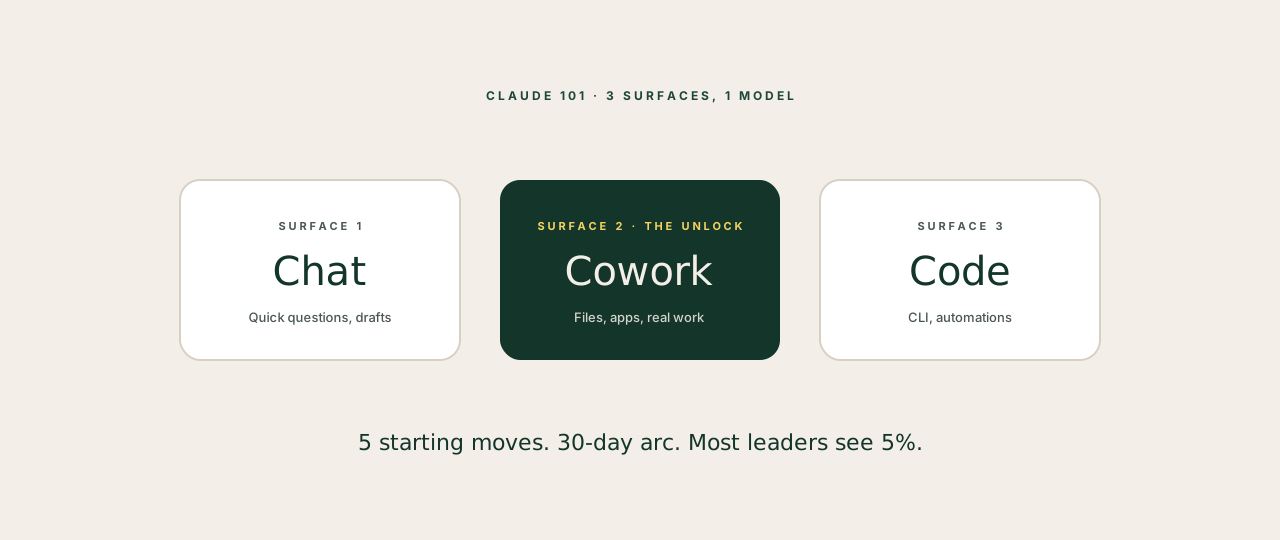
If you've used Claude for a handful of quick chats, you're seeing about 5% of what it does. The other 95% sits behind three different products, a few connectors, and a habit shift most leaders never make on their own.
This is the orientation we wish someone had handed us. Five minutes, no fluff (yes, that word is on the banned list, this is the only time you'll see it), no API jargon, just the version of Claude that earns back hours.
What Claude actually is
Three things, sold as one name.
Claude the model is the AI itself. The reasoning. There are different sizes (Haiku, Sonnet, Opus), tuned for different jobs. You don't need to think about this on day one. Claude picks for you.
Claude the products are the surfaces you actually use it through. There are three that matter for leaders:
- Claude Chat: the conversation window most people know. Best for one-off questions, drafts, brainstorms.
- Claude Cowork: a desktop app where Claude can read and write files on your computer, run shell commands, and operate your apps. This is the one that turns Claude into a colleague.
- Claude Code: the CLI version, built for engineers, but increasingly useful for non-technical leaders who want to automate workflows.
Claude the connectors let it reach into Gmail, Calendar, Slack, Notion, Stripe, Drive, Asana, and 30 others. Without connectors, Claude is a smart assistant in a sealed room. With them, it's the operating layer across your stack.
The shift most leaders never make
The shift is from asking Claude things to giving Claude things to do.
Asking sounds like: "What's the best way to write a follow-up email?" You get a paragraph back. You copy it. You tweak it. You send it. Net time saved: maybe two minutes.
Giving sounds like: "Read the last 30 days of email from Sarah, summarise where the deal is, draft the next message in my voice, save it as a Gmail draft." Net time saved: 25 minutes, every time.
The leaders who get value from Claude are not the ones with the best prompts. They are the ones who stopped asking and started delegating.
Five starting moves for week one
If this is your first week with Claude in any serious way, do these in order.
1. Pick a workspace folder. In Cowork, pick one folder on your computer (not your whole drive) and let Claude operate inside it. This is the safe sandbox where it can read, write, and edit. Most people skip this and then wonder why nothing feels real.
2. Connect three things, not thirteen. Gmail, Calendar, and one of (Notion, Drive, Slack). Three connectors is enough to do real work. Adding more before you have habits just adds noise.
3. Run the chief-of-staff prompt. Ask Claude to read your inbox, your calendar for the week, and the latest meeting transcripts, and write you a Monday morning briefing. This single workflow is the one that flips the switch for most founders.
4. Stop using Opus for emails. Default to Haiku or Sonnet. Opus is the deep-thinking model and burns through your daily limit on tasks that don't need it. Save Opus for strategy, not summaries.
5. Open a new chat for every new topic. Long threads are expensive and they degrade the quality of the answers. New question, new chat. Five seconds of clicking. Hours of tokens.
What you should not try in week one
Three traps:
- Custom Skills. The feature is powerful but you don't need it yet. Use Claude as it ships for the first 30 days.
- Building agents. Cowork already runs as an agent for the things you'll want on day one. Don't build a custom one until you've felt the limit of the default.
- Reading every prompt-engineering thread on X. Most of it is people optimising things that don't matter. The leverage is in the workflow, not the wording.
The 30-day arc
If you're consistent, the curve looks like this. Week one feels clunky and you wonder if it's worth it. Week two clicks, you start delegating one or two recurring tasks. Week three you notice your inbox is calmer and your meetings are better prepped. Week four you're recommending it to other founders.
Most people quit in week one because they expect week three results. The leverage compounds, but only if you keep going.
If you want a structured version of this 30-day arc, with the exact workflows ready to drop in, that's what the AIReady Leaders course is for.