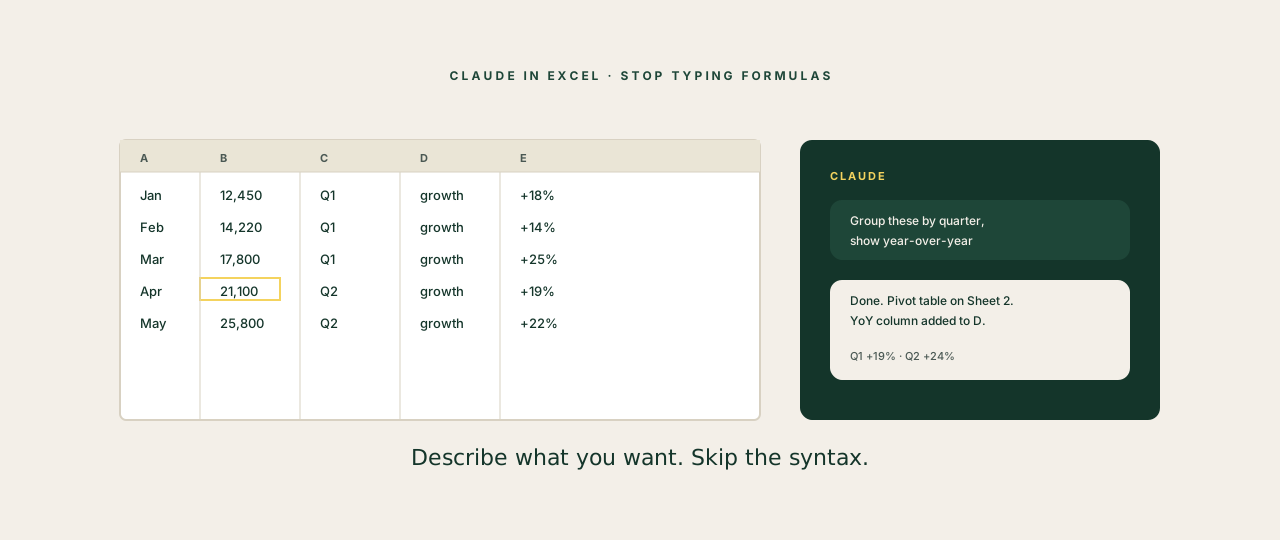
Excel has been the default modelling tool for thirty years and it still has the same learning curve. Most founders use about 8% of it competently, paste the rest from past models, and quietly hope the formulas still work.
Claude in Excel does not turn you into a power user overnight. It does something better. It reads the file, understands what you're trying to do, and either does it for you or explains the move in language you actually understand.
What Claude in Excel actually is
Two flavours, depending on how you work.
The native integration. Claude lives inside Excel as a side panel. You highlight cells, ask a question or a job, and Claude operates on the workbook. Formulas, formatting, charts, pivot tables, cleanups. The output goes into the sheet, not into a chat window.
Claude Cowork operating Excel. Cowork can read and write .xlsx files directly. You hand it a file, give it the job in plain English ("clean this CRM export, remove duplicates, add a status column based on these rules, save it back"), and Cowork uses the xlsx Skill to do the work and saves the file.
Most leaders end up using both. The native one for live editing while you're working. Cowork for batch jobs you'd rather not babysit.
The setup, in five minutes
For the native integration:
- Open Excel
- Insert → Add-ins → search "Claude" → install
- Sign in with your Anthropic account
- The side panel opens. You're ready.
For Cowork:
- Make sure the xlsx Skill is enabled (Cowork → Settings → Skills)
- Save the workbook to a folder Cowork can access
- Tell Cowork what to do, drop the path, hit run
Five high-leverage uses
These are the jobs that pay back the setup time fastest.
1. Cleaning a messy export. CRM exports, Stripe exports, anything that comes out of a SaaS tool with inconsistent capitalisation, duplicate rows, dates in three formats, and a header row that's actually a merged cell. Hand it to Claude. Get a clean file back.
2. Pivot table you can describe but couldn't build. "Group by month, by region, sum the revenue, show year-over-year change." That used to be a 20-minute exercise in remembering the right Excel verbs. Now you describe it and it appears.
3. Forecasting from messy historicals. You give Claude two years of monthly numbers. It builds a forecast model with assumptions you can see, edit, and challenge. Not a black-box prediction. A model with cells, with logic, with the assumption row labelled "edit me".
4. The dreaded board pack tabs. Recurring monthly summary tabs that need to pull from raw data, format consistently, and keep prior periods readable. Claude builds the structure once. After that, refreshing each month is a one-line ask.
5. Spotting the mistake in the model. The most underrated use. You inherit a model from a previous CFO or an investor and you're not sure if it's right. Hand the file to Claude with "audit this for errors, broken refs, and assumptions that don't match the labels." Claude reads every cell. You don't have to.
Where it fails
Three honest limits to set expectations.
Massive workbooks. Files with 30 sheets and 50,000 rows can be slow or fail. Either narrow the scope ("only this tab") or use Cowork instead of the native integration, which handles size better.
Custom VBA and macros. Claude knows VBA but it's not a stable place to live. If your model depends on heavy macros, treat Claude as a reviewer, not the author.
The "make it look beautiful" pass. Claude formats workbooks correctly but with default styling. If you need brand colours, custom fonts, exact column widths, do that pass yourself or set it up as a template Claude pours into.
The bar shifts: "I'm not a numbers person" stops being a real excuse. The numbers person is the AI. You're the strategy person who reads what it produces.
The habit that makes the difference
Stop trying to remember Excel formulas.
This is what flips Claude in Excel from "neat tool" to "I never go back." When you stop searching how to write VLOOKUP for the hundredth time and start describing what you want, you free up the working memory that Excel was renting from you.
You'll still need to know what makes a good model. You'll still need to spot when the answer is wrong. But you stop being the one typing the syntax, and start being the one reviewing the output.
That's the right job for a founder.