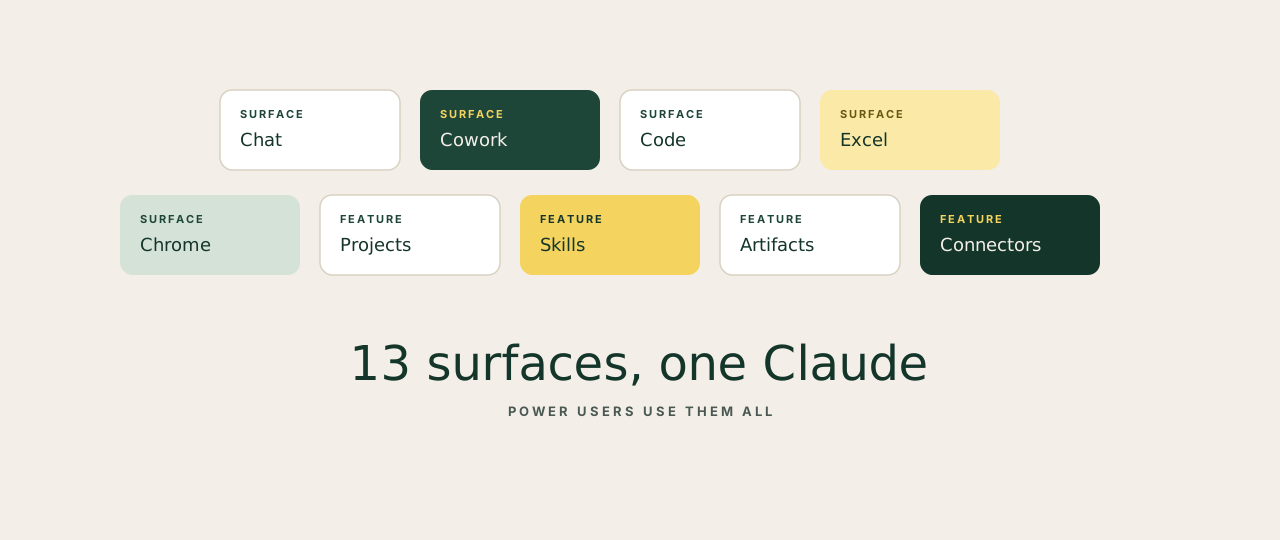
People who think Claude is a chatbot are using about 8% of what it can do. The rest sits behind names most casual users never click: Cowork, Skills, Artifacts, Connectors, the Excel add-in, the Chrome agent, Code, the API. Each one is built for a specific kind of work. Use the wrong surface and the experience is OK. Use the right one and the same task takes a fifth of the time.
The cheat sheet
| Surface | What it is | When to reach for it | Why it earns the click |
|---|---|---|---|
| Claude Chat | The default conversational interface. Ask anything, draft anything, think out loud. | Drafting copy, reviewing a contract, working a hard business decision through with a thinking partner. | Handles long, complex tasks better than almost any AI alternative. Quality of reasoning sets the floor. |
| Projects | Saved files, instructions and context that auto-load into every chat inside the Project. | Recurring deliverables: board updates, hiring briefs, monthly reports, client work. | Removes the biggest tax in AI workflows: re-explaining your context every session. |
| Extended Thinking | Deeper reasoning mode. Claude works through the problem step by step before answering. Visible chain. | Financial models, legal analysis, investment decisions. Anything where the reasoning has to be auditable. | You see how Claude got to the answer. Far easier to trust and audit on high-stakes work. |
| Skills | Reusable instruction packs that auto-load for specific tasks. Tone, rules, workflow, all baked in. | Brand voice writing, content templates, code review, anything you want applied consistently. | Turns Claude from a generalist into a specialist who already knows the job. |
| Artifacts | Live, interactive outputs built inside the chat: charts, dashboards, calculators, trackers. | Budget tracker, content calendar, client-ready report. Anything you'd otherwise build by hand. | Working deliverables, not text descriptions. Edit live. Export when ready. |
| Cowork | Desktop app that reads your folders, runs commands and produces real files (Word, Excel, PDF). | Document-heavy workflows: process a folder of client briefs, run weekly reports, automate the boring bits. | Removes the bottleneck in document work: no copy-pasting between Claude and your apps. |
| Claude in Excel | Microsoft 365 add-in that reads formulas, cell references and live data inside your spreadsheet. | Explain a broken formula, build a financial model from a brief, restructure messy data in seconds. | Anyone serious about Excel will feel it instantly. Claude understands the sheet at the formula level. |
| Claude in PowerPoint | Slides agent that builds and edits presentations directly inside PowerPoint. | Turn a strategy doc into a deck. Restructure an existing pitch. Add slides to a presentation in progress. | Deck-building is a top-three time drain for founders. This removes most of it. |
| Connectors | Plug-ins that link Claude to Slack, Drive, Notion, Gmail and 50+ other tools. | Find the Q3 deck in your Drive, summarise a Notion brief, or pull a Slack thread without leaving the chat. | Claude becomes the operating layer across your stack. One place to find anything. |
| Claude in Chrome | Browsing agent that operates inside your Chrome window. Searches, reads pages, completes web tasks. | Research a competitor's site, gather data from a list of URLs, fill repetitive forms. | Turns hours of manual web research into a single instruction. |
| Claude Code | CLI tool for agentic coding. Reads your codebase, writes code, runs tests, ships changes. | Hand it a bug, a feature, or a refactor. It works through your real codebase end-to-end. | Technical founders report this cuts build time meaningfully on real projects. |
| API | Direct programmatic access. Build products, run workflows, embed Claude inside your own tools. | An internal AI tool for the team, an automation that runs nightly, AI baked into your product. | Where Claude becomes a core part of the product, not something a person opens in a browser. |
| File Analysis | Upload PDFs, spreadsheets, images and documents. Claude reads, extracts, summarises, draws conclusions. | Drop a 200-page report, ask for the three things that matter. Or feed a contract and flag risk clauses. | Handles large documents without losing accuracy across the full context. |
The four power-user habits
The surfaces above are tools. The four habits below are how power users get five-times the output from them. Adopt these and you skip a year of trial and error.
01Stack Projects with Skills
Projects hold context. Skills hold know-how. Stack them: one Project per recurring task, with the relevant Skill loaded. Every chat starts already briefed and already trained.
02Upload the file before the question
Drop the document, brief or spreadsheet first. Then ask. Claude with full context produces answers two or three levels deeper than the same model working from a vague prompt.
03Read the reasoning chain
When Extended Thinking is on, scan the chain of thought before you trust the answer. That is where wrong assumptions show up. A confident answer built on a flawed premise is worse than no answer at all.
04Correct it in the chat
When Claude gets something wrong, tell it in the same conversation. It adjusts immediately and carries the correction forward. Editing the original message and starting fresh wastes the whole context window you just built.
Casual users live in chat. Power users build a system: Projects for the recurring work, Skills for consistency, Connectors for reach, the right surface for each task. Same Claude. Different relationship. The output gap between the two is the size of an entire team.