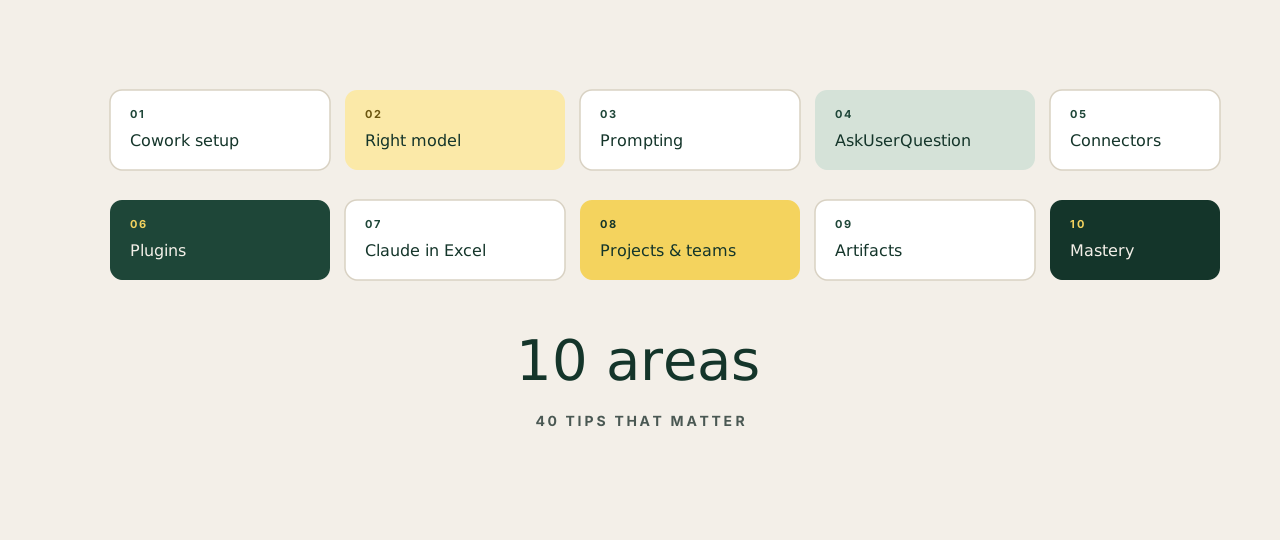
Most Claude content online is bloated. Forty-minute videos that could be a paragraph. Threads with 80 bullets repeating the same five ideas. The actual operating knowledge is small. Below is the version a founder can read in five minutes and apply this week.
Cowork setup
FoundationGet the right install and folder structure once. Don't redo it.
- Download the desktop app, not the browser version. Cowork only runs on the desktop.
- Create one workspace folder called
coworkwith four subfolders:about-me,projects,templates,outputs. - Drop a short
brand-voice.mdinabout-me. Reference it from every Project from now on. - Save your best outputs as templates. The next session reuses them automatically.
Pick the right model
Cost & speedWrong model is the easiest way to waste your daily limit.
- Opus 4.6 with Extended Thinking for complex reasoning, planning, layered analysis.
- Sonnet for everyday work: drafting, editing, summarising. Haiku for scanning files and quick lookups.
- The model matters less than the prompt. A bad prompt on Opus loses to a great prompt on Haiku.
- Default down. Reach up only when the task genuinely needs it.
Prompting
CraftLess prompt, more file. Clearer intent, fewer instructions.
- Stop writing 400-word prompts. Files beat prompts. Drop a doc, ask a short question.
- One task per prompt. Not five. Batching helps within one task; mixing tasks confuses the model.
- Use "does NOT sound like…" with examples to kill the generic AI voice. Show what you don't want.
- Give the task, not the method. Let Claude figure out the steps. Tell it the outcome.
AskUserQuestion tool
SpeedThe fastest way to brief Claude properly without writing essays.
- Add "Start with AskUserQuestion" to every first prompt. Claude turns it into a clickable form.
- Click answers instead of typing. The form asks the right questions so you don't have to think them up.
- If the direction is off, say so in plain English. Claude rebuilds the form on the fly.
- Useful any time the request is half-formed in your head. Most requests are.
Connectors
ReachWhere Claude stops being a chatbot and starts touching your real stack.
- Settings → Connectors → Browse → Add. About 30 seconds per install.
- Start with three: Gmail, Calendar, your file storage (Drive or Notion). 50+ available.
- Claude reads your actual files and threads. No more copy-paste.
- Free on every plan. Permissions are per connector, set them tight.
Plugins
SpecialisationPre-built skill packs for specific roles. Install, customise, use slash commands.
- Cowork → Customize → Browse → Install. One click each.
- Pick the plugins that match your role: Marketing, Legal, Sales, Data, Hiring.
- Type
/in any chat to trigger a plugin command instantly. - Customise each plugin once with your company voice and rules. The output stays consistent across the team.
Claude in Excel
NumbersFor anyone whose business runs on spreadsheets.
- Install "Claude by Anthropic" from the Microsoft Marketplace. Free.
- Claude reads every tab, explains formulas in plain English, builds new ones from a description.
- Drop a PDF into the sheet. Claude extracts the tables for you.
- No macros, no VBA. Claude highlights every cell it touches so you can audit before you trust.
Projects and teams
RolloutHow to take it from your laptop to the rest of the company.
- One Project per deliverable, not per client. The deliverable is the unit of reuse.
- Upload a great example into each Project. The standard becomes the floor.
- Convert one person on your team first. Then scale. Skip the all-hands rollout.
- Run a 15-minute live demo with the Project open. Show, don't tell. Adoption follows.
Artifacts
OutputCharts, dashboards, trackers, calculators, all built inside the chat.
- Artifacts are interactive outputs you can edit in the side panel. Live, shareable, reusable.
- They work automatically inside Cowork. No setup beyond asking.
- Preview before you export. Tweak in place. Then copy or download.
- Share with non-Claude users by exporting as HTML. They open it in a browser, no account needed.
Advanced mastery
CompoundingThe habits that separate fluent users from heavy users.
- Keep your context files under 200 lines. Short, sharp, recent. Update weekly.
- About 80% of a good context file is what you're not: words to avoid, frames not to use, common errors to skip.
- Review every output, especially financial work. Claude is fast and still wrong sometimes.
- Claude does the 80% of busywork. You do the 20% that needs judgement, taste, or your name on it.
The longest Claude tutorial is shorter than the cheat sheet above. Most "AI experts" are reselling 10% of this for £500 a head. Save the page, share with your team, and start building. Mastery isn't more content. It's habit, applied.